Using git and VS Code
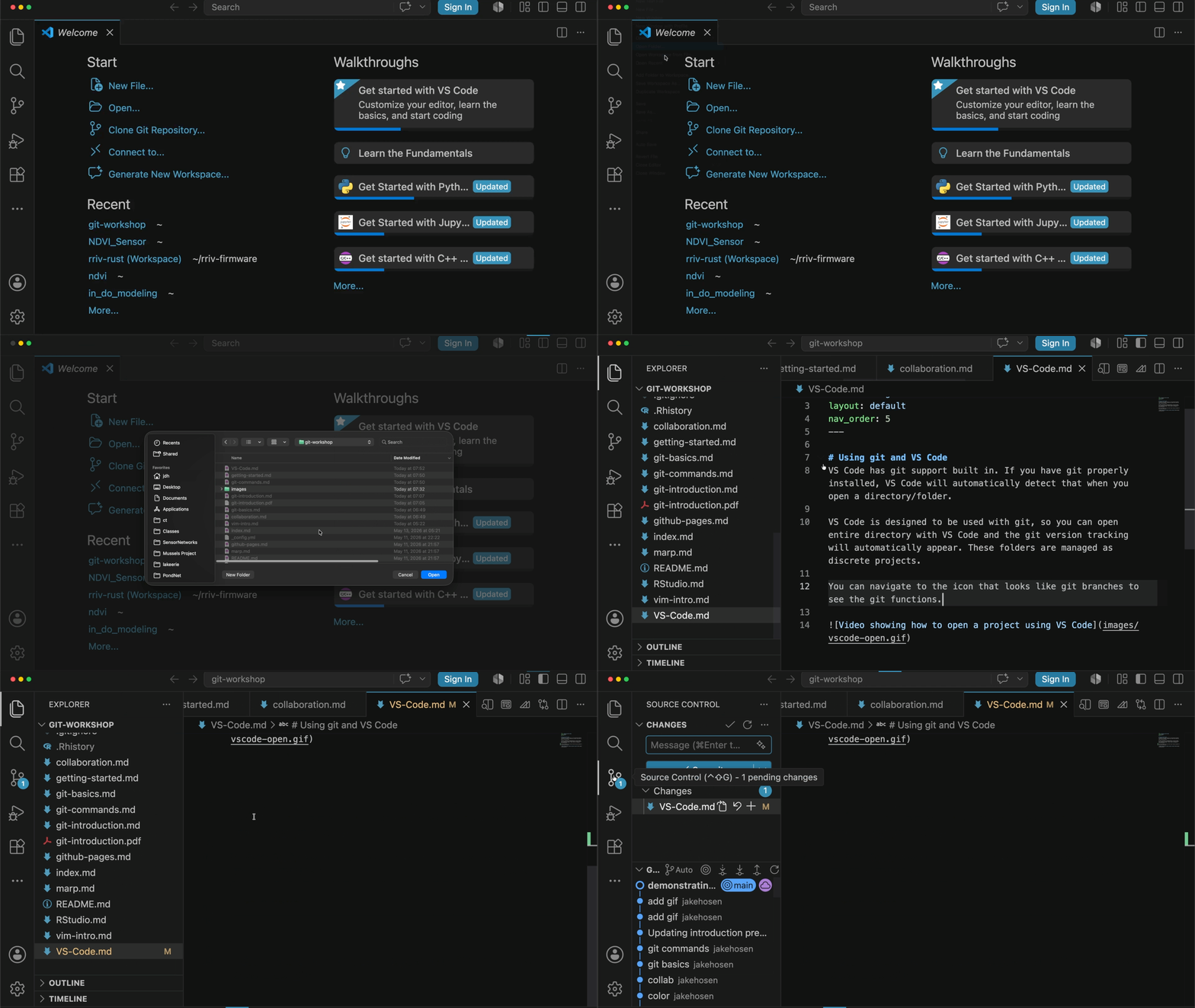
VS Code has git support built in. If you have git properly installed, VS Code will automatically detect that when you open a directory/folder.
VS Code is designed to be used with git, so you can open entire directory with VS Code and the git version tracking will automatically appear. These folders are managed as discrete projects.
You can navigate to the icon that looks like git branches to see the git functions.
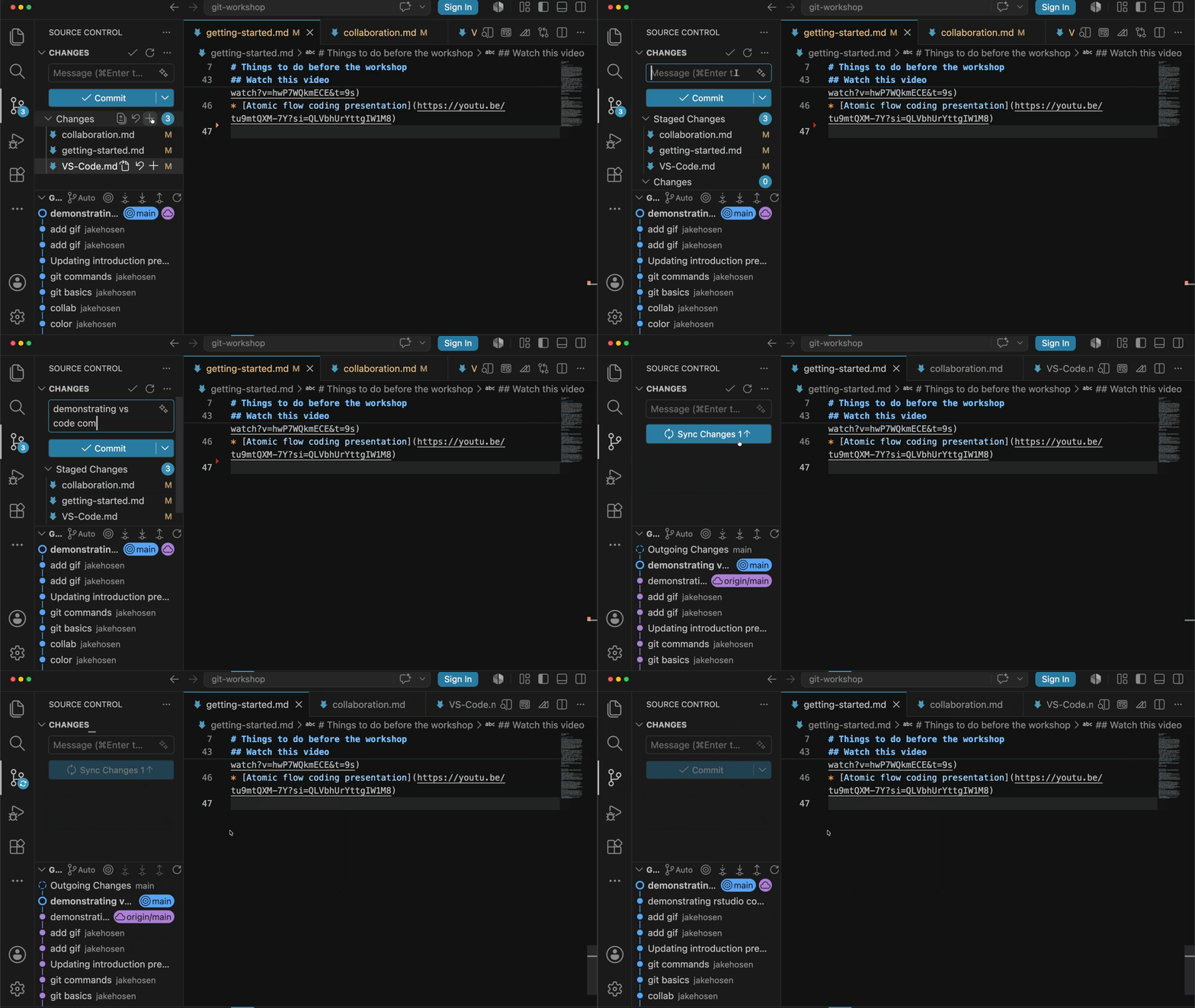
Once you have made some changes, you can graphically make a commit. You can also use the graph to navigate to different branches.
Using git and RStudio
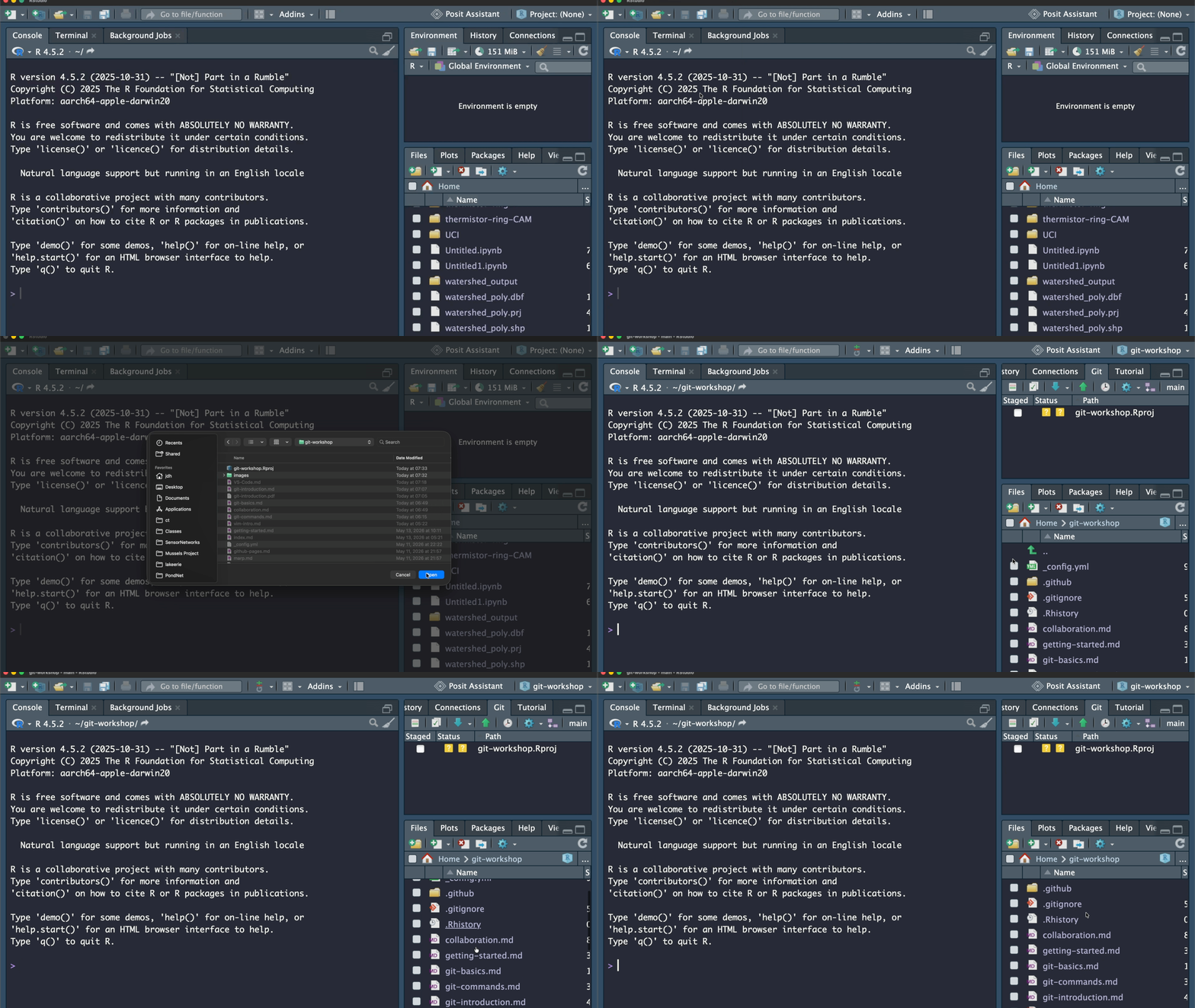
RStudio also has git support built in. Directories are opened as Projects in RStudio.
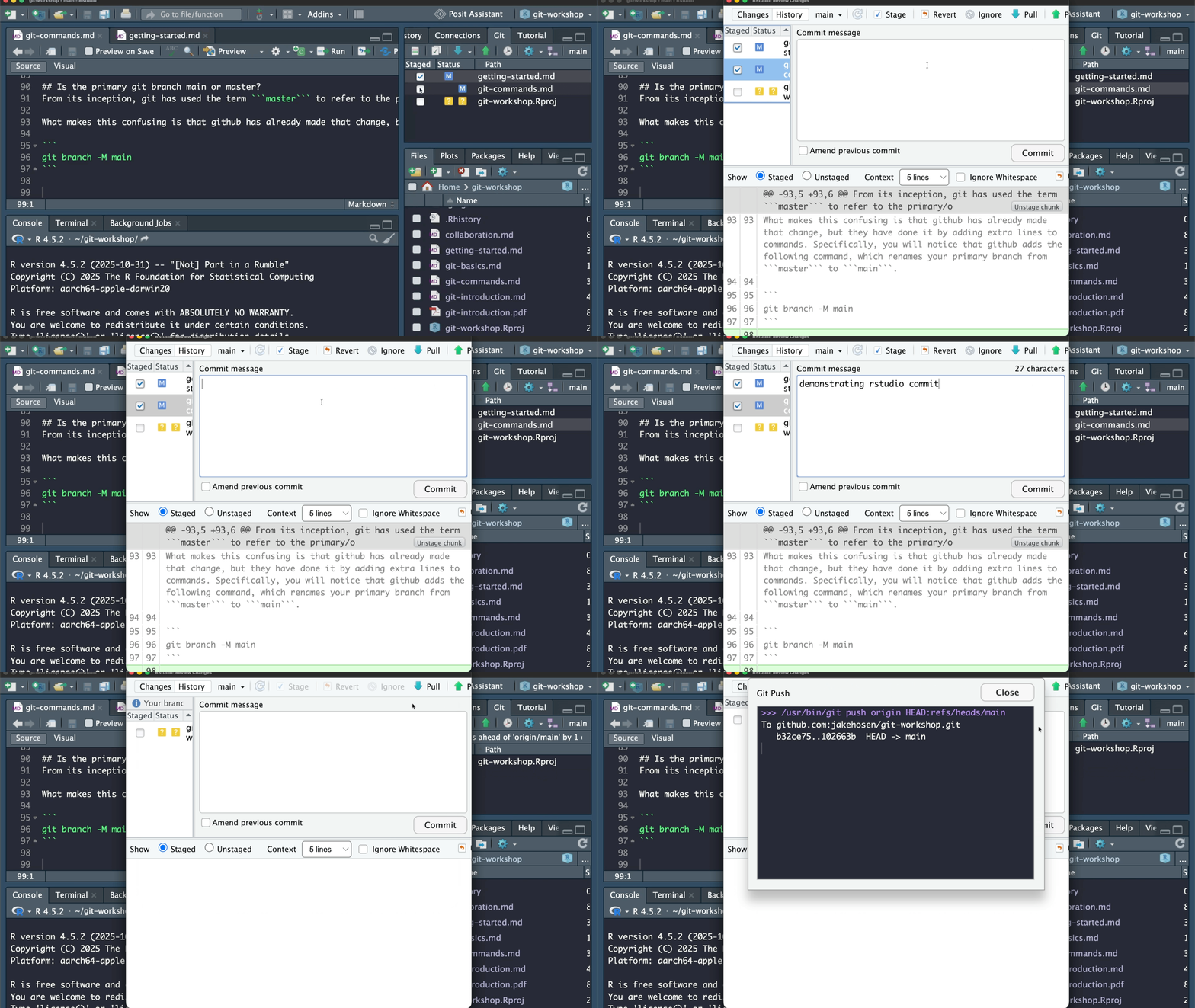
With RStudio, you typically have to manually add files to be stage. RStudio has created an RProj file that will not be staged even if you select it. This is because RProject files have been added to the .gitignore. You then create and push the commit using a pop-up screen.